In instances where changes are made to relationships within Practice Manager, if an accounting period already exists, you will need to force a refresh for these changes to take place on the financial statements. To do this, you will need to go to the Officers page within Client Information and click on the Refresh List button.
If you have any entries (notes or postings) where any of the director's are associated, you will get a message as below:
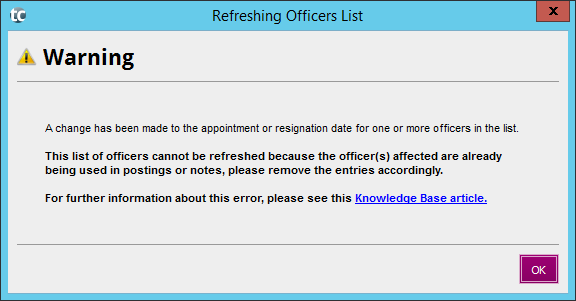
You need to open each of the below locations and clear the drop down menu (which will de-select the association from the director/partner) to the blank row:
- Each posting batch and ensure no names appear in the Directors/Partners column
- Go to Notes > Edit Notes and de-select the directors from the following:
- Report of the directors > Small company rules
- Balance sheet approval
- Go to Client Information > Officers
- Click on Refresh List on the right.
- Check that the Officers page is correct.
- Go back to the directors that you deselected and re-select them.