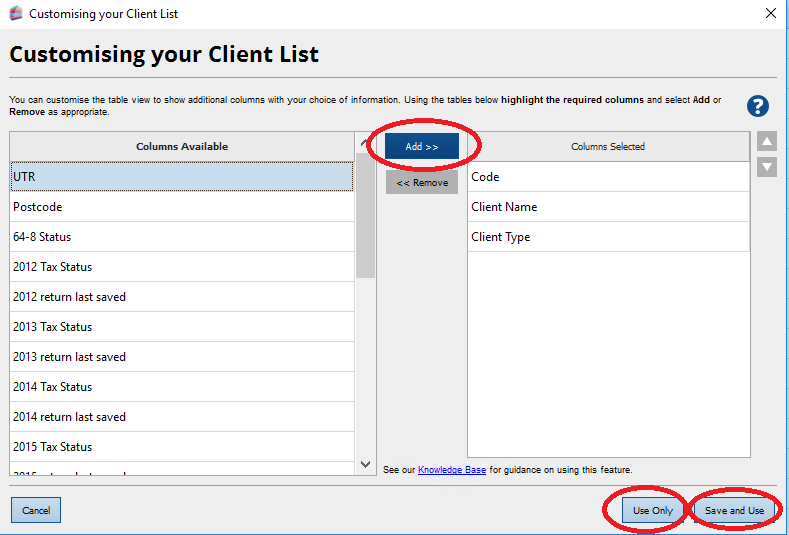
The tax status of clients is no longer shown by default but you can add this column by following these instructions:
- Open Practice Manager.
- Click on View in the top menu bar.
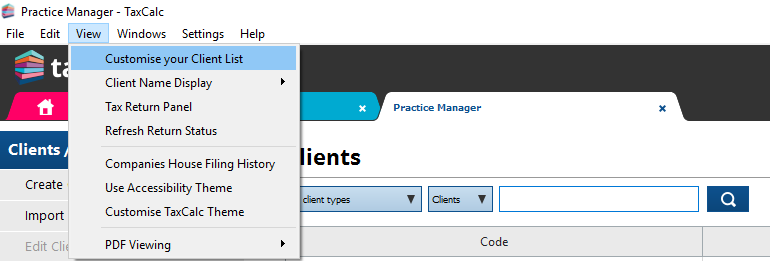
3. Select Customise your Client List from the drop-down menu.
4. In the Customising your Client List window, highlight the relevant Tax Status column under Columns Available and click on Add > >
- Apply the change:
- Click on Use only to apply the change once.
- Click on Save and Use to save the display option for use throughout the year.