When completing a return in TaxCalc, you may receive the below error message:
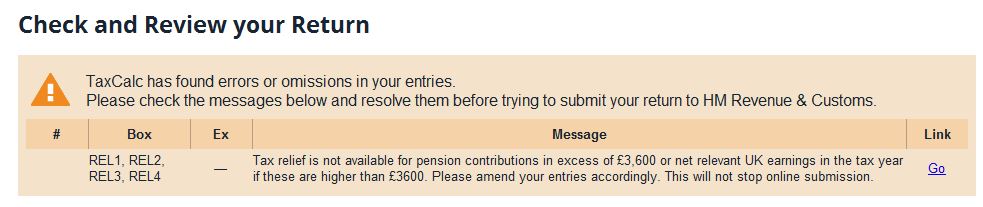
Whilst this will not stop you from making an online submission (i.e. you can ignore this message and the return will file online successfully), we do recommend addressing the error to avoid HMRC doing a post submission adjustment.
This message will look at the highest of either £3,600 or net relevant earnings. Net relevant earnings are the total of your earnings, broken down into the below categories.
- employment
- self employment
- Lloyd's underwriters
- partnership income
- furnished holiday lettings
- patent income from royalties.
Therefore on the below screen, you would need to place either £3,600 or the net relevant earnings on your return.
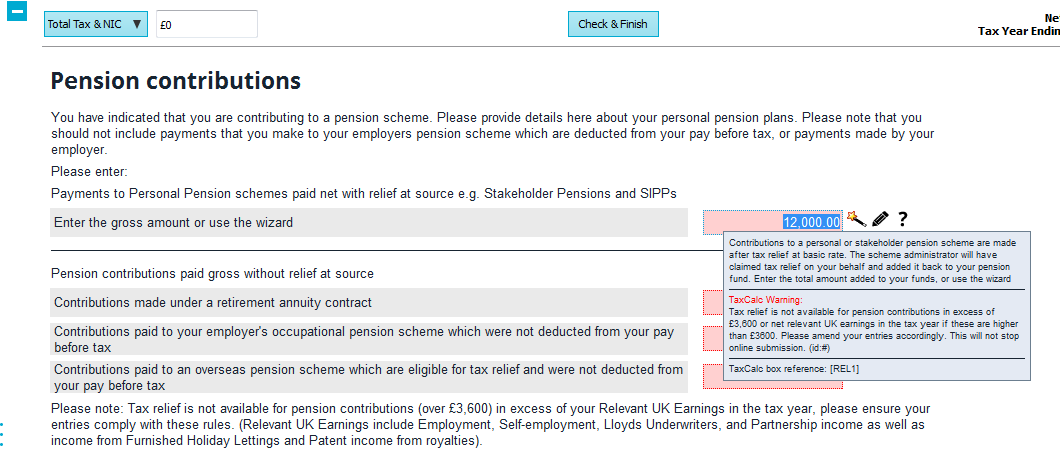
For example, if your employment income is £8,000 and you have income from furnished holiday lettings of £3,000, you would add both of these values together to give you net relevant earnings of £11,000. Therefore the higher of £3,600 and £11,000 is what the return will allow to be validated. You should only be declaring £11,000 on the return as pension contributions as you theoretically cannot input contributions into a pension that you haven't earned in the year.