The Tax Status columns are automatically updated following a successful filing receipt from HMRC. However when a return has been printed without the IR mark and it is simply a tax return with client data, it is then necessary to let the system/counters know the return has been filed.
This notification is built into the printing process by clicking on:
.png)
.png)
- Printing Preferences:
- 'Who is it for?' HMRC (official return pages to file by post):
.png)
- Click on 'Create Preview' at the bottom of the screen:
.png)
The Tax Return PDF will open on the screen, however this can be closed immediately.
The 'Filing by post' pop-up will also be displayed, clicking 'Yes' will do 2 things:
- Mark the return as 'Filed'
- Set the status to 'Filed by paper to HMRC'.
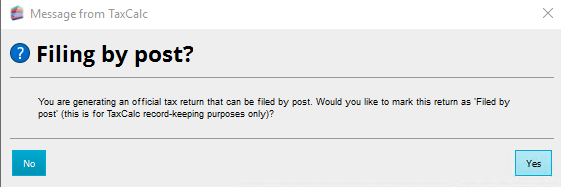
This will automatically update the columns Practice Manager.
