Using the Action Button to view all tasks relating to a client
You can use the Action button (the cog shaped button in the top right of the window) to view and modify any outstanding tasks assigned to a client.
Additional functionality has been added to the Outstanding Tasks menu when viewing tasks relating to a client via their tax return or set of accounts.
You can access this menu by:
- Open a Client in an application, such as Accounts Production or Tax Return Production
- Click the Action Button found in the top right corner of the screen
- Choose View Tasks for this Client from the menu that appears
A window will open to show you any outstanding tasks that are assigned to the client.
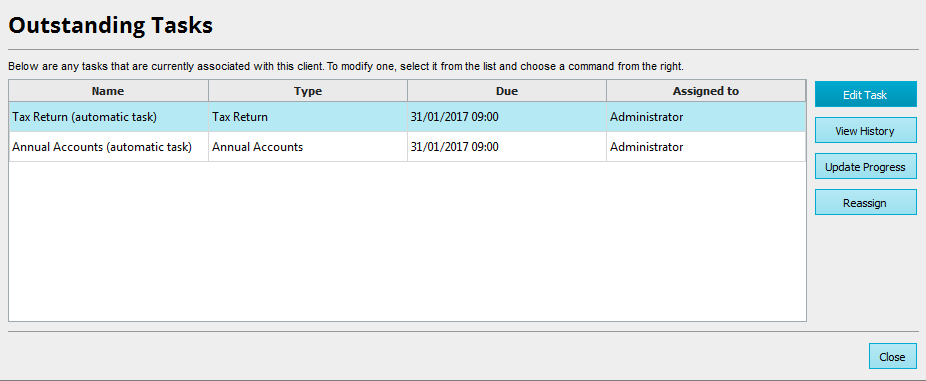
Use the buttons to the right of the table as follows:
- Edit Task - calls up the wizard to edit the Task
- View History - shows an activity log and provides further details about the Task
- Update Progress - allows you to modify the progress of the Task
- Reassign - enables you to choose another member of staff to reassign task to


