Cannot connect to Database - AVG Firewall
The AVG Firewall may block the connection to the TaxCalc database.
If TaxCalc was working previously and nothing else has changed apart from AVG being updated. Then you will need to make a simple configuration change.
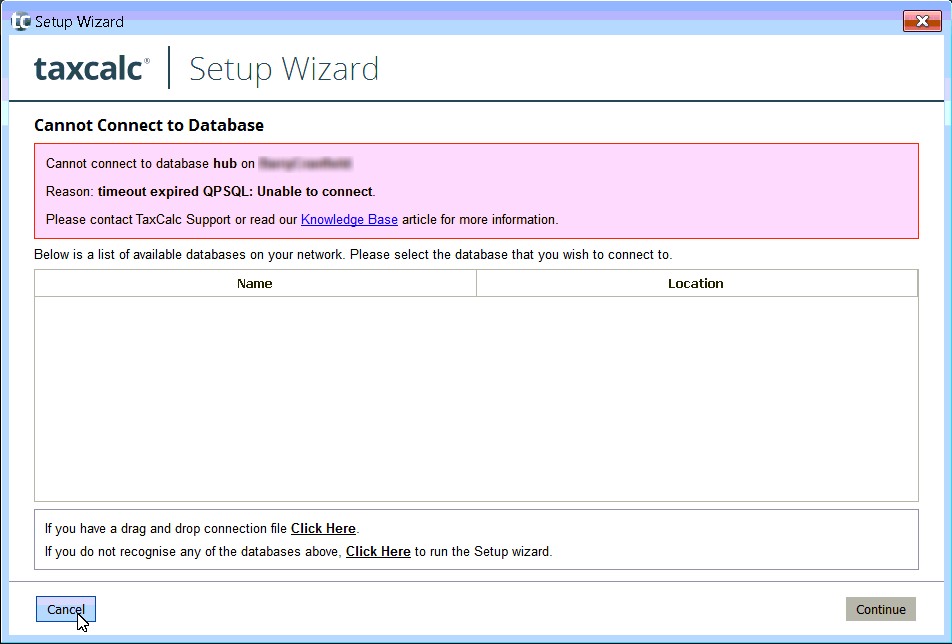
This is the error message given by TaxCalc ;
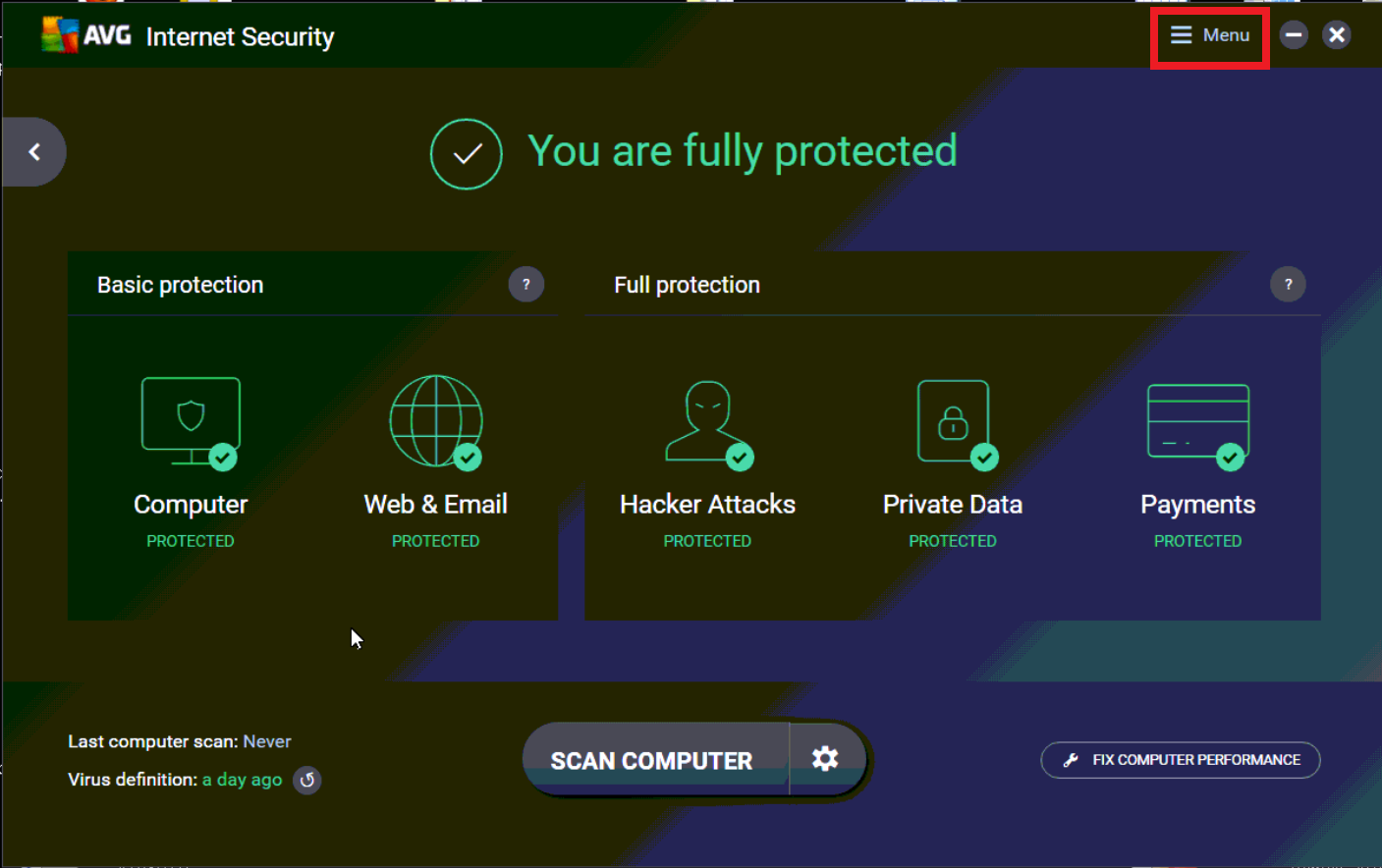
Open AVG then select MENU > SETTINGS
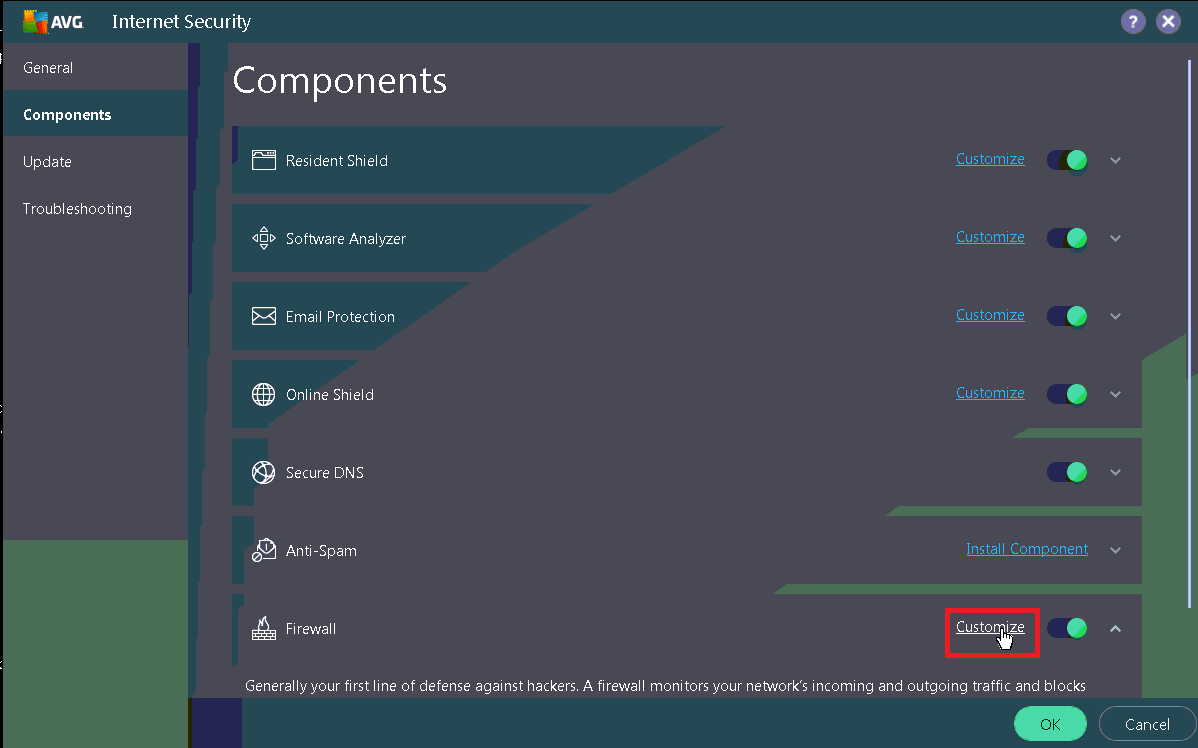
.PNG)
Then ensure that Postgres and TaxCalc are not being blocked.
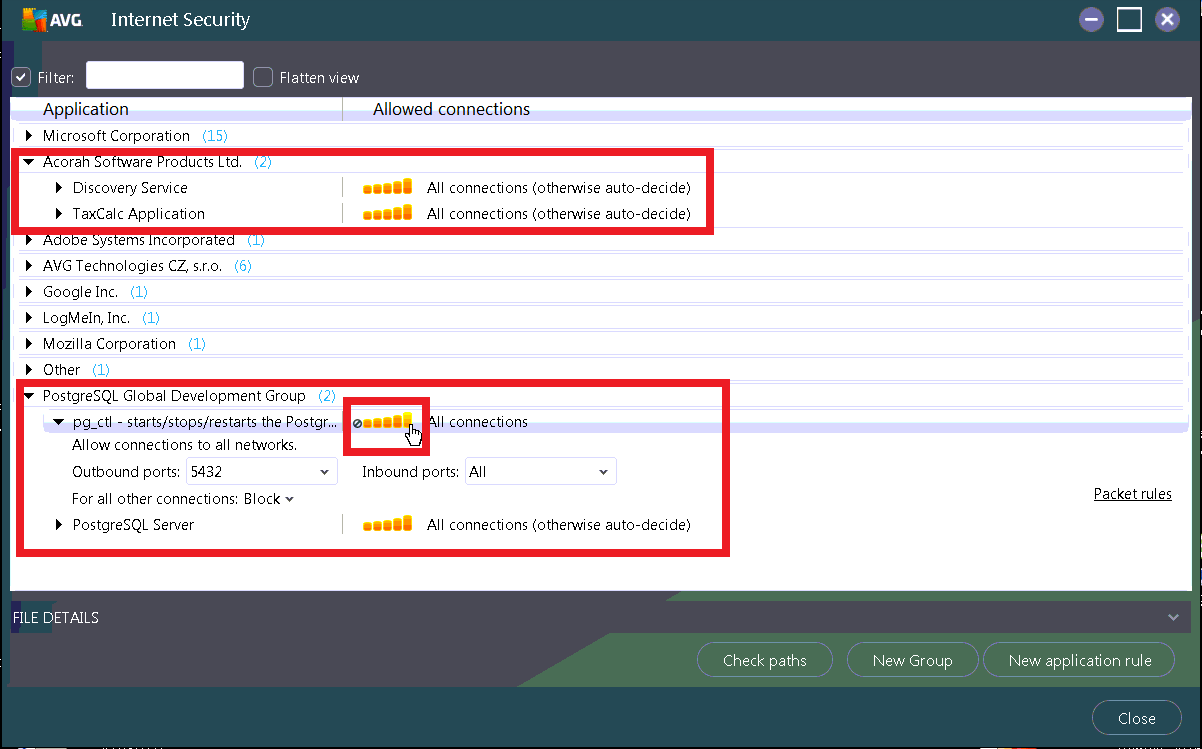
Grant full access to both programmes.
Restart TaxCalc and you should now be able to connect
.PNG)


